The llms.txt specification is simple on paper: a markdown file at your domain root that tells AI systems what your site is about. But “simple” doesn’t mean obvious. The difference between a good llms.txt and a useless one comes down to curation, structure, and knowing what to leave out.
The best way to learn is from sites that are doing it well. Here are real examples from companies that have shipped thoughtful llms.txt files, with analysis of why their approaches work.
The format: a quick refresher
Every llms.txt follows the same basic structure:
- H1 header: Your site or brand name. Not a tagline, not an SEO title. The literal name.
- Blockquote: A 1-3 sentence summary of what your site does. This becomes the AI’s instant understanding of your brand.
- H2 sections: Logical groupings of your most important pages.
- Link entries: Each link follows the format
- [Title](URL): One-line description. - Optional section: An
## Optionalheading for lower-priority pages that agents can skip under context pressure.
The entire file should stay under 10KB. If it’s larger, you’re listing pages that belong in your sitemap, not your llms.txt.
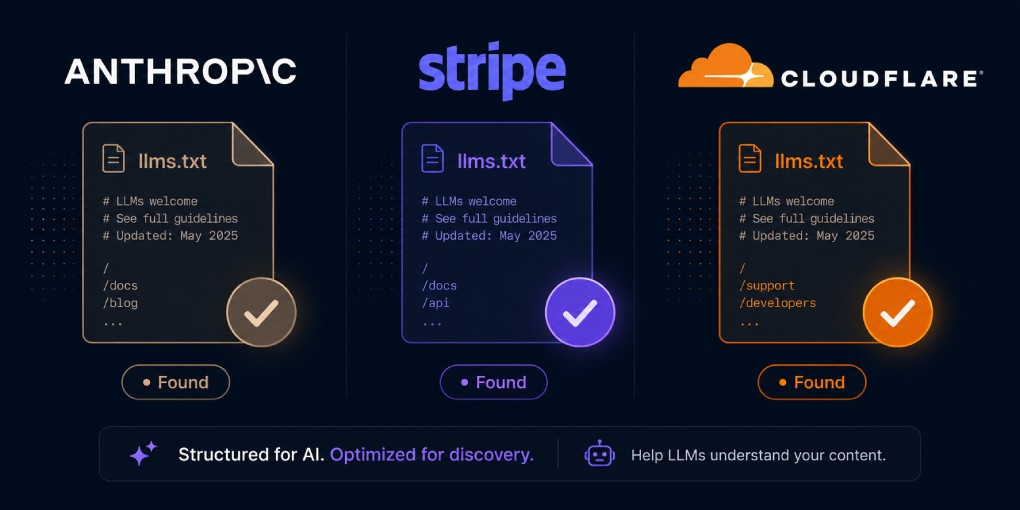
Anthropic: organized by how developers ask for help
Anthropic’s llms.txt covers their extensive Claude documentation. Instead of mirroring their docs navigation structure, they organized sections around how a developer would actually ask for help.
The H2 sections map to tasks: getting started, building with Claude, working with the API, understanding models. Each link has a concise description that tells an AI agent exactly what it’ll find on that page.
What they got right: the structure answers questions, not categories. An agent looking for “how to use Claude’s API” finds a clear path without navigating a documentation tree.
Stripe: depth without clutter
Stripe has extensive documentation covering payments, billing, subscriptions, identity verification, and dozens of other products. Their llms.txt doesn’t try to list everything. It curates the most important entry points for each product area.
Each section covers one product with links to the getting started guide, the API reference, and the most common integration patterns. That’s it. No edge cases, no changelog links, no marketing pages.
What they got right: aggressive curation. A developer asking an AI “how do I integrate Stripe payments” gets directed to exactly the right starting point, not buried in a 500-link dump.
Cloudflare: the ecosystem map
Cloudflare faces a unique challenge: their product suite spans 20+ products (Workers, Pages, R2, D1, AI Gateway, and more). Their llms.txt is larger than most, but it’s structured so an agent can quickly identify which product solves a specific problem.
Each H2 section represents a product vertical. Within each section, links follow a consistent pattern: Getting Started, Configuration, API Reference, Tutorials. This predictability helps AI agents navigate even a large file efficiently.
What they got right: consistent internal structure. Even with many products, the repeating pattern (start, configure, reference, learn) means an agent that understands one section understands them all.
Vercel: concise and developer-focused
Vercel keeps their llms.txt tight and product-focused. A clear blockquote summary, sections organized by developer workflow (deployment, frameworks, storage, observability), and no filler. Each link points to actionable documentation, not marketing pages.
What they got right: brevity. The entire file fits comfortably in a small context window, which means any AI agent can process it in a single pass without truncation.
Patterns that work across all examples
Looking at these implementations together, several patterns emerge:
Curation over comprehensiveness. The best llms.txt files contain 20-50 links, not 200. Every link earned its place. If a page doesn’t help an AI agent answer a question or complete a task, it doesn’t belong in the file.
Descriptions that explain, not sell. “Comprehensive guide to our industry-leading payment solution” is marketing copy. “Step-by-step integration guide for accepting one-time payments” is useful. Every description should answer: “what will an agent find if it follows this link?”
Logical grouping by task, not by site architecture. Users and agents think in terms of “how do I…” not “which section of the docs menu is this under?” Group pages by what they help someone accomplish.
Consistent formatting. Every link follows the exact - [Title](URL): Description format. Deviations break parsing. AI agents are reading this programmatically, not visually.
Common mistakes to avoid
Dumping your sitemap. Listing every page defeats the purpose. The llms.txt is a curated guide, not an index. If your file looks like a sitemap, start over.
Including gated content. Pages behind login walls are useless to AI agents. Don’t list content that requires authentication unless the description explicitly says so.
Over-describing. Each description should be one sentence. “Complete 2,500-word guide updated January 2026 covering advanced techniques for enterprise customers” is too much. “Guide to advanced payment integration patterns” is enough.
Forgetting to update. Dead links in your llms.txt signal poor maintenance. Review the file quarterly and remove links to deleted or restructured pages.
Skipping the blockquote. The blockquote summary after the H1 is how AI agents form their first impression of your site. Skipping it forces the agent to infer your purpose from the link list, which is slower and less accurate.
Create yours
If you’re starting from scratch, begin with five sections that represent your site’s core areas. Add 3-5 links per section, each with a one-sentence description. Keep the total under 30 links. You can always expand later.
The hey-eye llms.txt generator creates a properly structured file based on your site’s actual pages. It gives you a starting point you can then curate. Remember: the generator provides a draft. The curation is your job.
After deploying, verify it’s accessible at yoursite.com/llms.txt and run your site through hey-eye to confirm it’s detected in the Authority & Trust pillar.
The companies above didn’t just create an llms.txt file. They thought about what an AI agent needs to know, and wrote exactly that. Do the same.