Most reports on AI crawlers give you one number: how many requests each bot made.
I pulled 30 days of Cloudflare data for hey-eye and looked past that number. I checked when each crawler showed up, what it asked for, and whether it was really who it claimed to be.
The request count turned out to be the least useful thing in the dataset.
How I measured
Everything below comes from Cloudflare’s HTTP request analytics for hey-eye.gr, covering September 11 to October 11, 2026.
Three filters matter, and the first one took me a while to find.
External requests only. My site runs on Cloudflare Workers. When a bot requests a page, a Worker fetches content behind the scenes and keeps the bot’s user-agent on that internal request. Cloudflare logs it as a separate request, and because it comes from inside Cloudflare rather than from the bot’s real IP, it shows up as unverified.
That inflated every bot in my dataset. Googlebot, for example, had 1,940 of these internal requests on top of its real traffic, hitting exactly the same paths. If you run Workers and you are counting bot traffic, filter these out first. In Cloudflare’s data they appear as edgeWorkerFetch rather than eyeball.
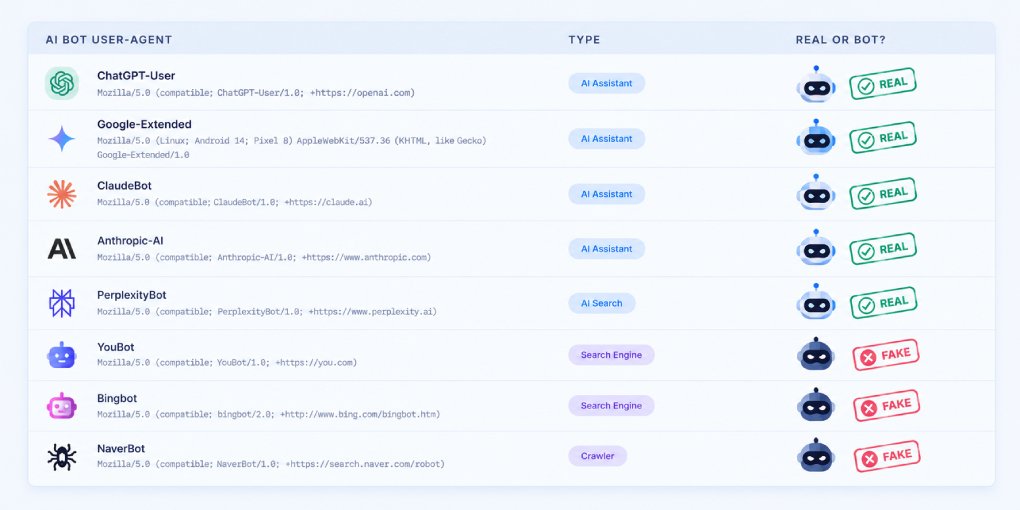
Verified bots only. Cloudflare checks each request against the operator’s published IP ranges or reverse DNS. Only requests that pass count as verified. Why the user-agent alone proves nothing.
My own tools excluded. The single largest “AI” agent on the site was Cloudflare’s AI Search crawler, with 2,748 requests. That is the index behind the site’s own “Ask hey-eye” chat. Not an outside AI system, so it is left out.
Who visited: verified requests in 30 days
| Crawler | Operator | Verified requests |
|---|---|---|
| meta-externalagent | Meta | 1,932 |
| Googlebot | 1,699 | |
| Bingbot | Microsoft | 954 |
| ClaudeBot | Anthropic | 775 |
| Amazonbot | Amazon | 480 |
| OAI-SearchBot | OpenAI | 467 |
| Applebot | Apple | 241 |
| ChatGPT-User | OpenAI | 180 |
| GPTBot | OpenAI | 144 |
| Claude-User | Anthropic | 5 |
| PerplexityBot | Perplexity | 0 |
Read the top row literally and Meta is more interested in my site than Google is.
It is not. Here is why.
Four crawlers, four completely different behaviors
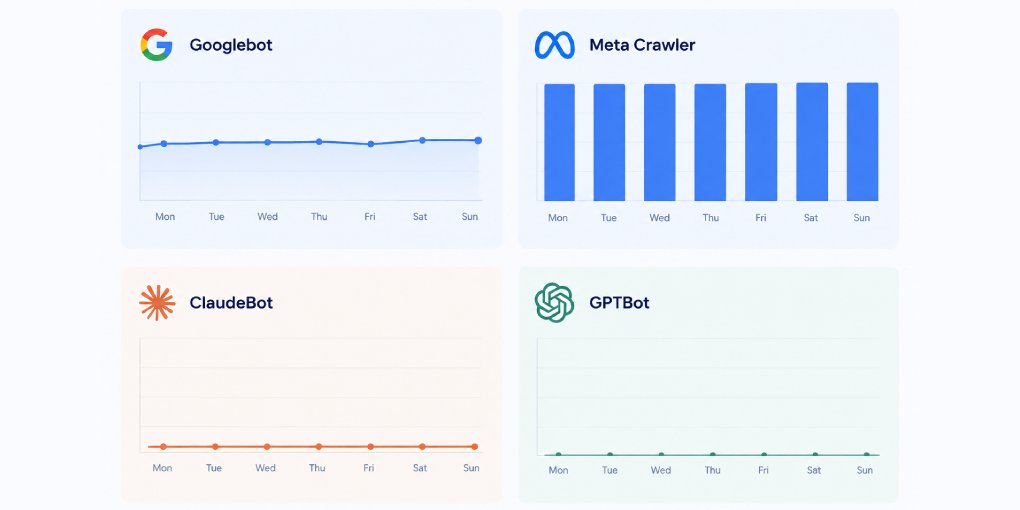
I took the four most active verified crawlers and broke their requests down by day and by content type.
Googlebot: every day, steady
Googlebot showed up on every single day of the period, between roughly 30 and 85 requests a day.
What it asked for:
| Content type | Requests | Share |
|---|---|---|
| JavaScript | 627 | 37% |
| HTML pages | 361 | 21% |
| robots.txt | 221 | 13% |
| CSS | 189 | 11% |
| Sitemaps (XML) | 109 | 6% |
That is a crawler rendering pages the way a browser would, coming back daily, and keeping track of what changed.
Meta: silence, then a binge
Meta’s activity looks nothing like that. Most days it made zero or a handful of requests. Then:
- September 15 and 16: 24 requests each
- September 29: 1,495 requests
- October 3 to 6: between 49 and 119 a day
That single day on September 29 accounts for 77% of all Meta’s verified requests for the month. Not 77% of the site’s crawling. 77% of Meta’s own.
And it all happened in three hours, between 19:00 and 22:00 UTC, from dozens of different IPv6 addresses in Meta’s network working in parallel.
What it asked for across the month:
| Content type | Requests | Share |
|---|---|---|
| Images (JPEG, WebP, ICO) | 1,134 | 59% |
| JavaScript | 369 | 19% |
| HTML pages | 289 | 15% |
| CSS | 119 | 6% |
And within the HTML, 97 requests were a cookie banner fragment that the site loads into every page. Actual content pages were closer to 190.
Why one day produced 1,495 requests
The paths explain it. In that three-hour window, Meta requested:
- The site logo: 151 times
- The footer logo: 144 times
- The cookie banner: 82 times
- The menu script: 77 times
- The consent script: 76 times
- The main stylesheet: 72 times
A browser downloads a logo once and caches it. Meta downloaded it again for every page it opened.
So Meta was rendering each page from scratch, with no cache between pages. Every page pulled the logos, scripts and stylesheets all over again. Based on how many times the per-page assets were fetched, it rendered roughly 75 to 80 pages.
About 80 pages became about 1,500 requests.
Meta was not reading more than Google. It read one batch of pages, once, in a way that multiplies every page by 15 to 20 requests.
ClaudeBot: clockwork, mostly navigation
ClaudeBot’s daily pattern was the most regular of all. From September 12 to October 2, it made 36 requests on most days, rarely straying far from that number.
What it asked for:
| Content type | Requests | Share |
|---|---|---|
| Sitemaps (XML) | 453 | 58% |
| robots.txt | 231 | 30% |
| HTML pages | 66 | 9% |
| Images, JS, CSS | 20 | 3% |
88% of ClaudeBot’s requests were sitemaps and robots.txt. Under 10% were actual pages.
It checks constantly what exists and what it is allowed to read, and fetches content rarely.
GPTBot: quiet and sitemap-first
GPTBot made around 3 requests a day, with two spikes of over 20 on September 20 and 28.
Of its 144 verified requests, 95 were sitemaps (66%) and 31 were HTML pages (22%).
Comparison at a glance
| Googlebot | Meta | ClaudeBot | GPTBot | |
|---|---|---|---|---|
| Verified requests | 1,699 | 1,932 | 775 | 144 |
| Pattern | Daily, steady | Rare bursts | Daily, near-identical | Daily, low |
| HTML share | 21% | 15% | 9% | 22% |
| Main focus | Pages + JS rendering | Images + assets | Sitemaps + robots.txt | Sitemaps |
| Caches assets | Yes | No | Rarely needs to | Rarely needs to |
The other half of the story: the bots that were not real
Verified traffic is only part of what hits a site. Here is the share of requests, external only, that used each crawler’s user-agent but failed verification:
| User-agent claimed | Unverified | Verified | Share unverified |
|---|---|---|---|
| Bingbot | 109 | 954 | 10% |
| meta-externalagent | 97 | 1,932 | 5% |
| Googlebot | 597 | 1,699 | 26% |
| ClaudeBot | 596 | 775 | 43% |
| OAI-SearchBot | 673 | 467 | 59% |
| Amazonbot | 761 | 480 | 61% |
| Applebot | 462 | 241 | 66% |
| ChatGPT-User | 618 | 180 | 77% |
| GPTBot | 733 | 144 | 84% |
| Claude-User | 790 | 5 | 99% |
| PerplexityBot | 903 | 0 | 100% |
| Perplexity-User | 629 | 0 | 100% |
| Google-Extended | 405 | 0 | 100% |
Unverified does not automatically mean malicious. SEO testing tools, including crawler testers, deliberately send requests with bot user-agents. But the paths give most of them away. The unverified “GPTBot” requests went for /service-account.json, /.env, /.env.bak, /proc/self/cmdline and a path-traversal attempt against /root/.env. No crawler indexing content needs any of those.
Three things stand out.
Search engine user-agents are impersonated far less than AI ones. Bingbot 10%, Googlebot 26%. GPTBot 84%, Claude-User 99%, Perplexity 100%. Scanners are disguising themselves as AI crawlers much more often than as search engines.
Google-Extended is not a crawler at all. It is a token you use in robots.txt to control whether Google uses your content for its AI models. Google does not send requests with that user-agent. Yet 405 requests arrived claiming to be Google-Extended, and the most requested paths were /settings.py, /app_dev.php/_profiler, /.git-credentials, /application.properties and /.env.
Perplexity never actually came. Zero verified requests from PerplexityBot or Perplexity-User in 30 days, against 1,532 unverified requests using their names. Every “Perplexity visit” in a raw log of my site would have been someone else.
A note on my earlier numbers: in my previous analysis of spoofed crawlers, the share of fake GPTBot traffic came out higher. That dataset did not separate out the internal Worker requests described above, which pushed every unverified share up. The direction holds. The precise figures are the ones in this table.
What this means
Request counts measure noise, not reading. A crawler that renders without caching will outrank one that reads far more content. If you want to know which AI system consumes your pages, look at how many HTML pages it requests, not how many requests it makes.
Each AI crawler needs its own lens. Meta’s crawl is bursty, so a 7-day window can show it as your top bot or as absent. ClaudeBot’s is regular, so a week tells you most of what a month does. Comparing them on the same short window gives misleading rankings.
Sitemaps and robots.txt do real work. For ClaudeBot and GPTBot, they are most of what gets requested. A broken sitemap or an overly broad robots.txt rule affects these crawlers more than any on-page change. How to build a robots.txt with AI crawler rules.
Your infrastructure can invent traffic. If you run Workers, a proxy or any edge function that re-fetches content, part of your “bot traffic” is your own system talking to itself. Check before you draw conclusions.
Never allowlist by name. If a firewall rule lets through anything that says “GPTBot” or “PerplexityBot”, it is mostly letting through scanners. Allow verified bots, and treat the rest as anonymous.
How to check this on your own site
- In Cloudflare, go to Analytics and open the HTTP traffic breakdown, or query the GraphQL Analytics API with the
httpRequestsAdaptiveGroupsdataset. - Filter to
requestSource = eyeballto remove internal subrequests. - Filter by
verifiedBotCategory(AI Crawler, AI Search, AI Assistant, Search Engine Crawler). - Break each crawler down by
dateand byedgeResponseContentTypeName. - Compare HTML requests, not total requests.
To see which AI crawlers can reach your pages at all, and which ones your configuration is blocking, run your site through the AI Crawler Tester.