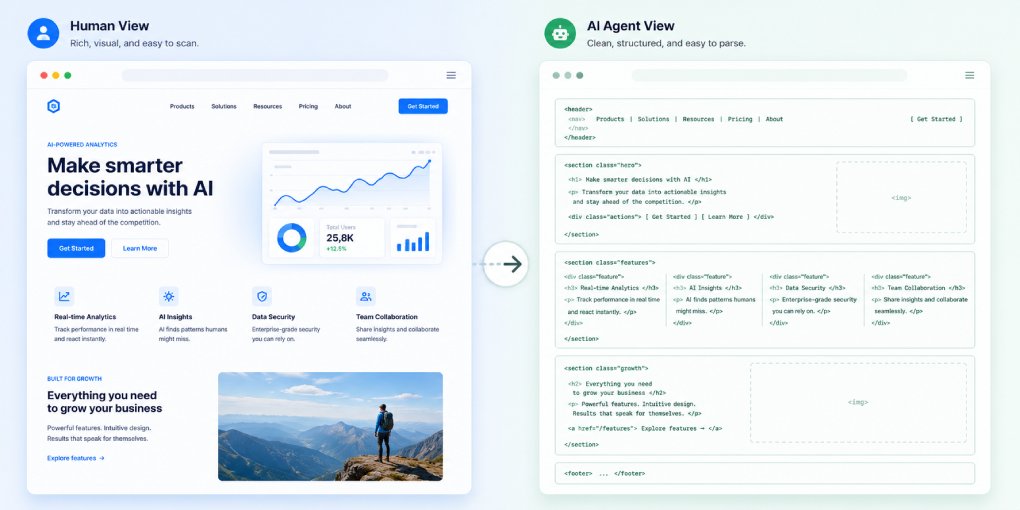
Open your homepage in a browser and you see a rendered page. Fonts loaded, images in place, navigation expanded, prices populated, everything arranged the way it was designed.
An AI agent sees none of that.
It sees a stream of markup that arrived in a single HTTP response, before any script ran and before anything was drawn. Whatever is not in that stream does not exist as far as the agent is concerned.
Here is what that stream actually contains, in the order the agent processes it, and how to look at your own site the same way.
Layer 1: the raw response
The first thing an agent gets is the HTTP status and headers. This is where most failures happen and where none of them are visible to you.
A 403 means a firewall or bot management rule rejected the request before your server was involved. A 429 means rate limiting. A slow response means the agent may abandon it entirely, because crawlers have timeout thresholds far shorter than a human’s patience.
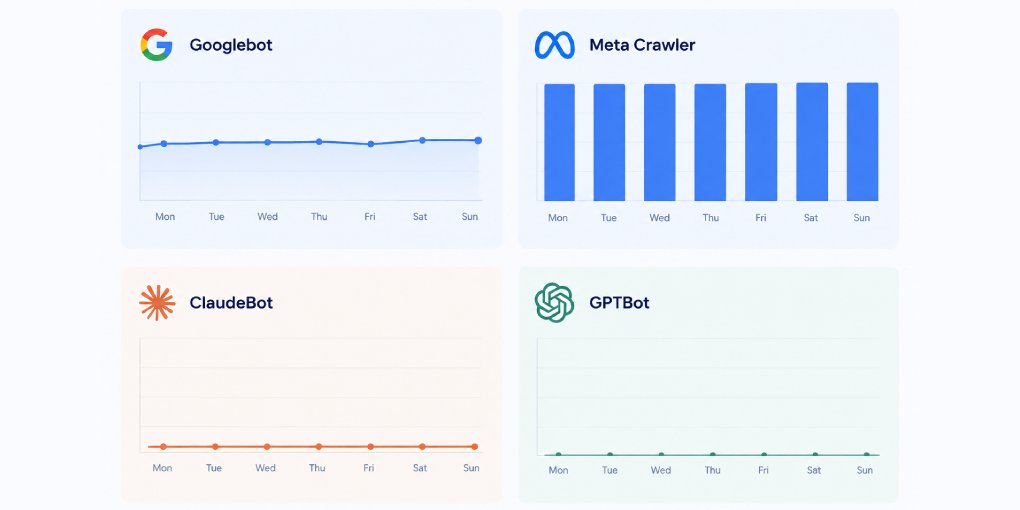
Your robots.txt sits underneath this, but it is a request rather than an enforcement layer, so an agent can be permitted by your file and still blocked by your infrastructure. Testing which crawlers actually reach your site covers the difference between the two.
To see this yourself:
curl -I -A "Mozilla/5.0 AppleWebKit/537.36 (compatible; GPTBot/1.0; +https://openai.com/gptbot)" https://yoursite.com/Layer 2: the HTML, unrendered
Assuming the response succeeds, the agent receives your HTML exactly as the server sent it. No JavaScript execution, no DOM mutations, no lazy-loaded content, no data fetched after page load.
This is the single largest gap between what you see and what they get. A page built as a client-rendered application returns a root element and some script tags, and that is the entire content from the agent’s perspective. Prices fetched from an API after load are absent. Sections revealed on scroll are absent. Navigation injected by a script is absent.
To see your own site this way, open DevTools, press Ctrl+Shift+P, type Disable JavaScript, and reload. What remains is the agent’s view. How JavaScript rendering affects AI visibility covers what to do if that view is empty.
Layer 3: the structured data, read first
Within that HTML, the agent does not start at the top of your article. It looks for the JSON-LD block in your head.
That block is a machine-readable summary that tells the agent what kind of page this is, who wrote it, when it was published, and what it covers, before a single paragraph of prose is parsed. A page with complete schema is understood immediately. A page without it forces the agent to infer everything from the markup, which is slower and produces lower confidence.
Search your page source for application/ld+json. If nothing comes back, the agent is working blind. Which schema types matter most covers what to add and in what order.
Layer 4: the parts that get thrown away
Before your content is used, the agent tries to separate it from everything surrounding it. Navigation, cookie banners, related-post widgets, footers, promotional bars.
Semantic HTML is what makes this possible. An article element marks content, nav and aside and footer mark what to discard. Generic divs give the agent nothing to work with, so boilerplate stays attached to your content and dilutes it.
This is why a page can be technically accessible and still perform badly. The content is there, but it arrives mixed with fifty navigation links and a cookie notice.
Layer 5: the chunks
What survives gets split into pieces. Retrieval systems cut documents at heading boundaries and attach the heading path to each piece as metadata, so a section under H1 then H2 then H3 arrives carrying all three headings with it.
This is the level at which your content is actually retrieved and cited. Not the page, the chunk.
Which means a page with no headings becomes one large undifferentiated block, and a page with a clean hierarchy becomes a set of targeted, independently retrievable sections. Semantic HTML headings for RAG systems covers the mechanics, and how paragraph length affects context windows covers what happens inside each chunk.
What is invisible at every layer
A few things never reach the agent regardless of how well the rest is built.
Images carry no information without alt text. To an agent, an img tag with an empty alt attribute is a gap in the page. Missing alt text costs more than accessibility.
Text rendered inside images is entirely lost. Charts, infographics, and screenshots with important figures are blank unless the same information exists as text.
Content behind interaction is lost. Accordions that load on click, tabs that fetch on selection, anything requiring an event.
And CSS-only content, including background images and text inserted through pseudo-elements, is invisible.
Seeing the whole picture at once
Running each of these checks manually takes time and has to be repeated after every template change. Running your page through hey-eye performs them together and reports the result by layer: whether the page is reachable, whether the structure parses, whether schema is present, and whether the resulting sections are usable. For crawler access specifically, the AI Crawler Tester checks each major agent individually.
If you want the hands-on version, these six tests take about ten minutes in a browser.
The useful habit
Once a month, look at your most important page with JavaScript disabled and read only what remains.
Most people find something missing that they assumed was obvious. That gap, between the page you designed and the page that actually arrives, is the whole problem in one view.